
Free n8n workflow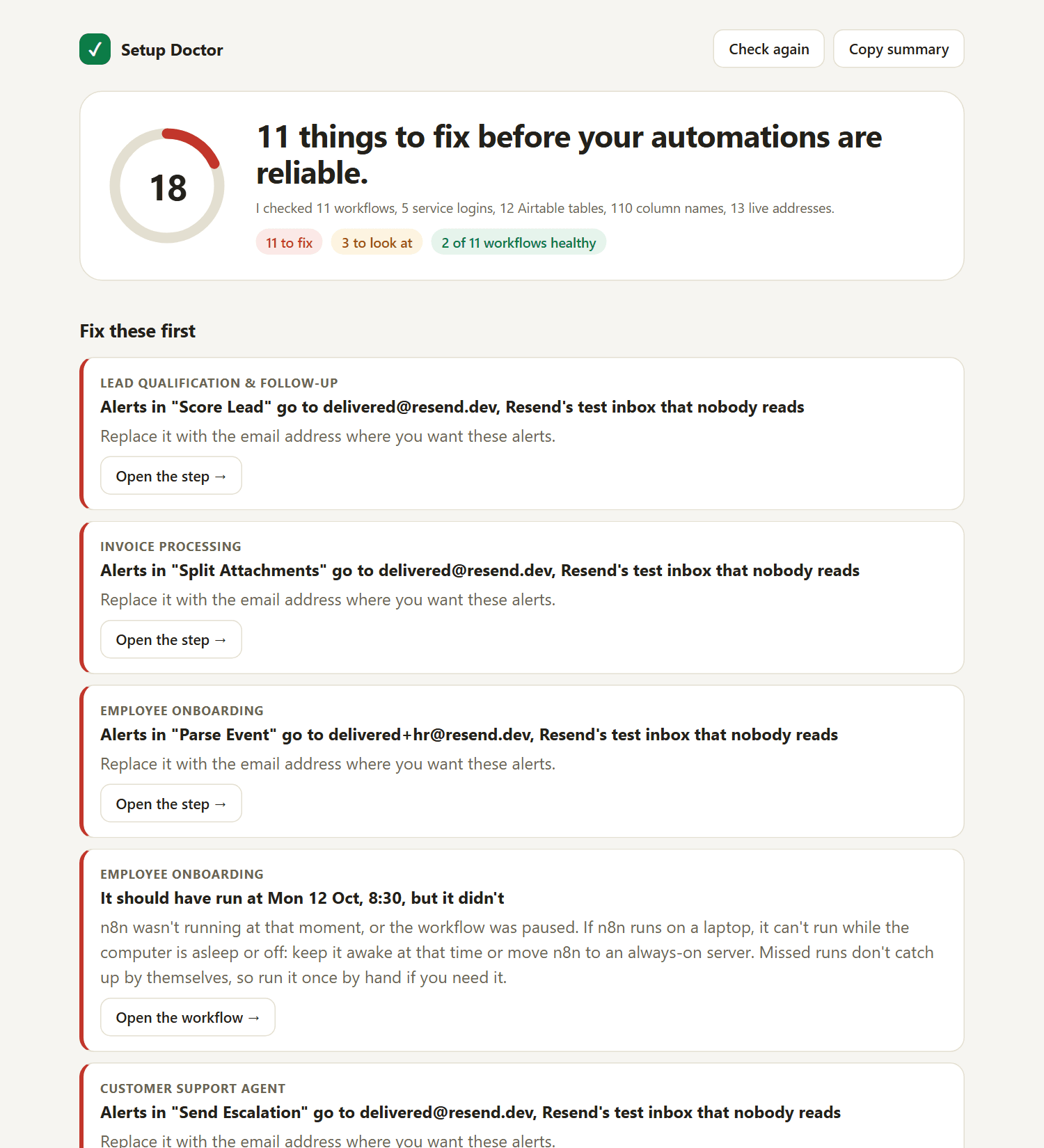
The Setup Doctor: find out what's wrong with your automations in one click
Most automations that “don't work” were never set up quite right. On its first run against my own n8n, it found 11 problems I'd missed, including two schedules that never ran because my laptop was asleep. It only reads: it never changes your workflows.
Get it free
Works with any n8n workflow, and knows the most about Gemini, Airtable, Resend, Cal.com, Firecrawl and Vapi.
Free. You'll also get the occasional useful email, a couple a month at most. Unsubscribe any time.
What it checks
- Tests every login and API key with a real call (Gemini, Airtable, Resend, Cal.com, Firecrawl, Vapi), and warns before credits run out
- Checks your Airtable tables column by column, with “did you mean…” for near-misses
- Confirms every webhook address is live, without triggering a single run
- Turns failed runs into a plain-English cause and fix, with a button to the exact step
- Notices when a scheduled workflow should have run but didn't (a sleeping laptop, for example)
- Emails you each morning, only when something new breaks
A real report, from its first run
Setup, about 5 minutes
- In n8n, go to Settings → n8n API → Create an API key. Read-only scopes are enough: workflow:read, workflow:list, execution:read, execution:list.
- Import setup-doctor.json (Workflows → Import from File).
- Pick credentials: “n8n API key” (Header Auth, name X-N8N-API-KEY, the key from step 1) and “Setup Doctor login” (Basic Auth, any username and password you choose). Then pick the same Gemini, Airtable, Resend, Cal.com, Firecrawl or Vapi credentials your workflows use. Skip any you don't use.
- In the Settings step, set REPORT_EMAIL, FROM and TIMEZONE.
- Turn the workflow on and open your-n8n/webhook/setup-doctor.
Needs n8n 1.x or 2.x with the public API turned on (it is by default). A full check takes about 10 seconds, because it really calls each service.